
Certificados propios Windows Server

DR XMARTEK

Platinum Distributor
Advanced Certified
Registrado
9 Mar 2023
Mensajes
63
Seguí la recomendación del foro, con un resultado no exitoso.
Cuál es la forma correcta de actualizar los certificados.
1737476529838.png
 
The SSL authority needs to provide you with a public certificate and private key (PEM format).

You can then replace the old certificates with new ones as follow:

1/ Connect with a file transfer client such as FileZilla using SSH root credentials to the phone system host.

2/ Go to folder /var/lib/3cxpbx/Bin/nginx/conf/Instance1

3/ rename the existing certificate and key as follow to keep a copy just in case:
- YOURFQDN-crt.pem => YOURFQDN-crt.pem.OLD
- YOURFQDN-key.pem => YOURFQDN-key.pem.OLD

4/ upload the new ones and name them with the same original file names as the old ones.

5/ Connect with a SSH client such as PuTTY using SSH root credentials to the phone system host.

6/ Run commands:
cd /var/lib/3cxpbx/Bin/nginx/conf/Instance1
chown phonesystem: phonesystem YOURFQDN-crt.pem
chown phonesystem: phonesystem YOURFQDN-key.pem
service nginx restart

7/ Your web server has now been restarted with new certificate/key pair so you should already see the new expiry dates when browsing to your management console and checking the certificate properties.


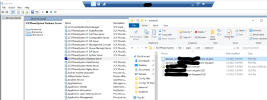
Para windows debes hacerlo sobre la carpeta donde está la ruta Bin/nginx/conf/Instance1
 

Estadísticas del Foro

Temas
44.439
Mensajes
232.807
Miembros
78.338
Último miembro
neil.marsura